Недавние документы
Обзор
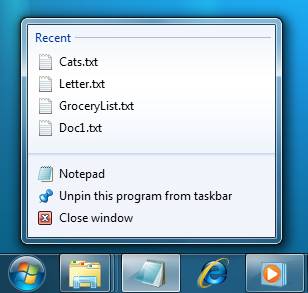
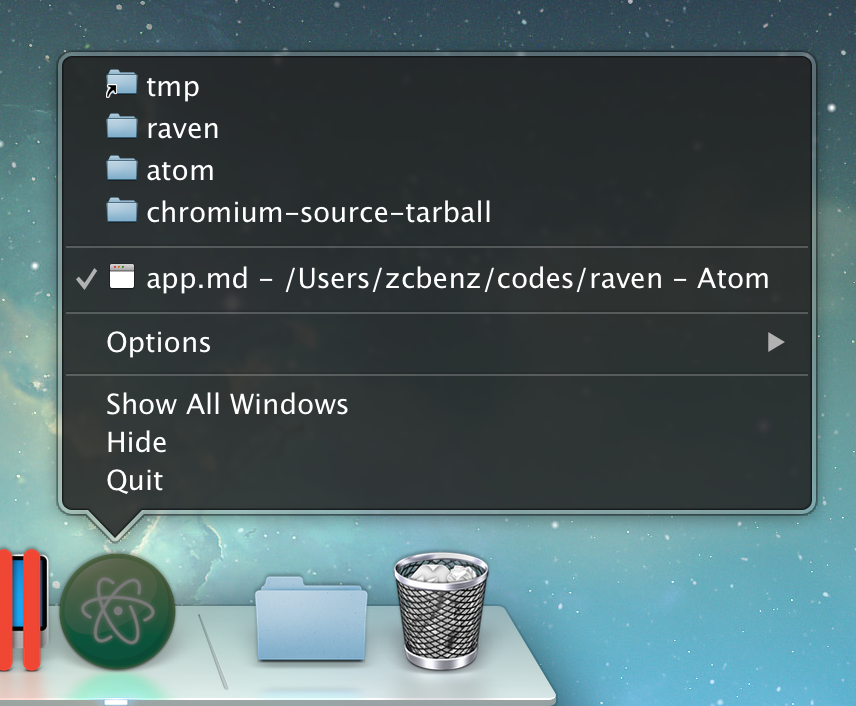
Windows и macOS предоставляют легкий доступ к списку последних документов открытых приложением через JumpList или dock меню, соответственно.
JumpList:
Dock меню приложения:
Пример
Managing recent documents
- main.js
- index.html
const { app, BrowserWindow } = require('electron/main')
const fs = require('node:fs')
const path = require('node:path')

function createWindow () {
  const win = new BrowserWindow({
    width: 800,
    height: 600
  })

  win.loadFile('index.html')
}

const fileName = 'recently-used.md'
fs.writeFile(fileName, 'Lorem Ipsum', () => {
  app.addRecentDocument(path.join(__dirname, fileName))
})

app.whenReady().then(createWindow)

app.on('window-all-closed', () => {
  app.clearRecentDocuments()
  if (process.platform !== 'darwin') {
    app.quit()
  }
})

app.on('activate', () => {
  if (BrowserWindow.getAllWindows().length === 0) {
    createWindow()
  }
})
<!DOCTYPE html>
<html>
<head>
    <meta charset="UTF-8">
    <title>Recent Documents</title>
    <meta http-equiv="Content-Security-Policy" content="script-src 'self' 'unsafe-inline';" />
</head>
<body>
    <h1>Recent Documents</h1>
    <p>
        Right click on the app icon to see recent documents.
        You should see `recently-used.md` added to the list of recent files
    </p>
</body>
</html>
Adding a recent document
To add a file to recent documents, use the app.addRecentDocument API.
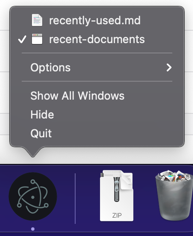
After launching the Electron application, right click the application icon. In this guide, the item is a Markdown file located in the root of the project. You should see recently-used.md added to the list of recent files:
Clearing the list of recent documents
To clear the list of recent documents, use the app.clearRecentDocuments API. In this guide, the list of documents is cleared once all windows have been closed.
Additional information
Windows примечания
To use this feature on Windows, your application has to be registered as a handler of the file type of the document, otherwise the file won't appear in JumpList even after you have added it. Вы можете найти все о регистрации вашего приложения в Application Registration.
Когда пользователь щелкает файл из JumpList, новый экземпляр приложения будет запущен с добавленного пути файла, как аргумент командной строки.
macOS примечания
Add the Recent Documents list to the application menu
You can add menu items to access and clear recent documents by adding the following code snippet to your menu template:
{
  "submenu":[
    {
      "label":"Open Recent",
      "role":"recentdocuments",
      "submenu":[
        {
          "label":"Clear Recent",
          "role":"clearrecentdocuments"
        }
      ]
    }
  ]
}
Make sure the application menu is added after the 'ready' event and not before, or the menu item will be disabled:
const { app, Menu } = require('electron')

const template = [
  // Menu template here
]
const menu = Menu.buildFromTemplate(template)

app.whenReady().then(() => {
  Menu.setApplicationMenu(menu)
})
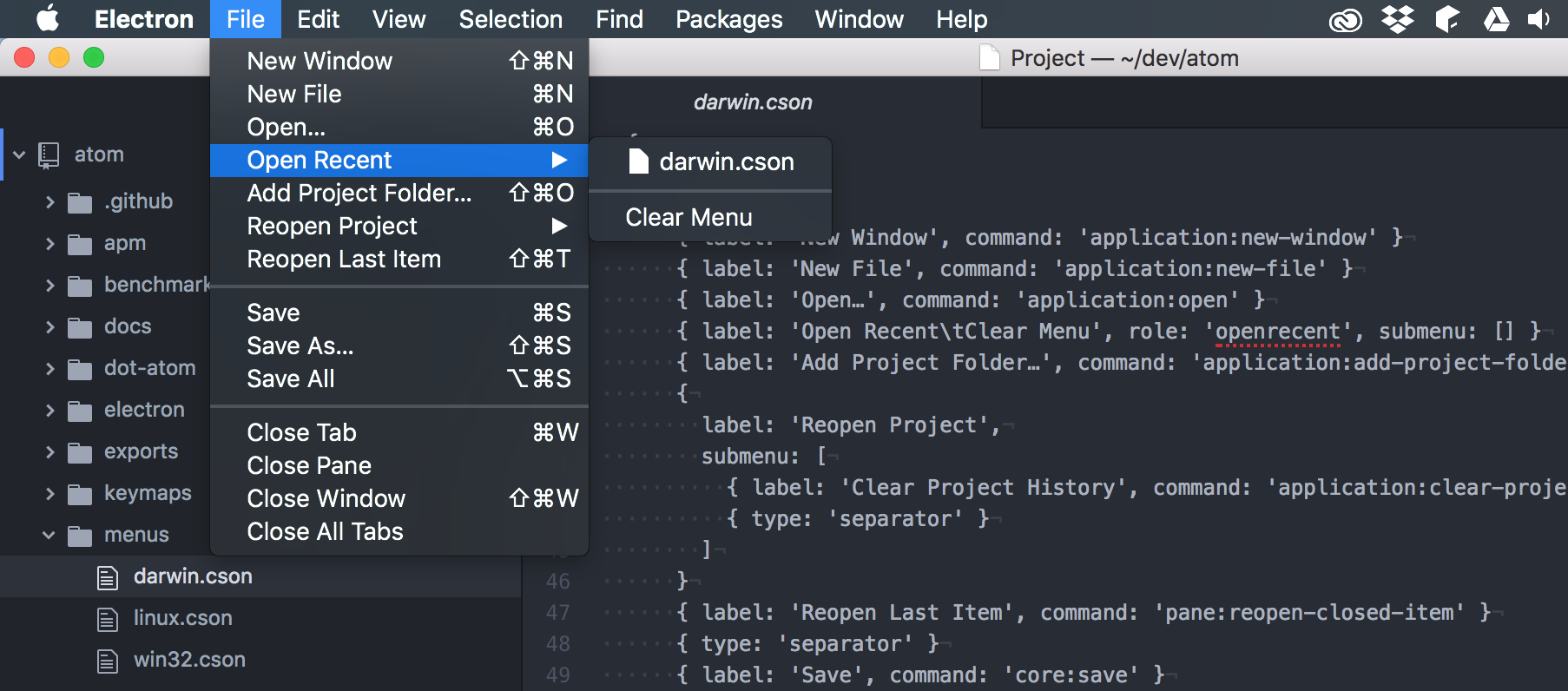
When a file is requested from the recent documents menu, the open-file event of app module will be emitted for it.